Secret Code of Samsung Android Phone

Posted by Unknown Senin, 24 Juni 2013 0 komentar
Here are some secret code for you Samsung Android Phone.

1) *#*#4636#*#* = This code is used to see "Phone Informations."
2) *2767*3855# = This code is used to "Hard Reset."
3) *#*#7780#*#* = This code is used to "Factory Reset."
4) *#*#7594#*#* = This code is used to "Change End Call or Power Options."
5) *#*#197328640#*#* = This code is used to "Service Mode 1."
6) *#2263# = This code is used to "Service mode 2."
7) *#*#273283*255*663282*#*#* = This code is used to "Backup Media Files."
8) *#*#526#*#* = This code is used to "Test WLAN."
9) *#*#232338#*#* = This code is used to "See WiFi MAC Address."
10) *#*#1472365#*#* = This code is used to "Test GPS."
11) *#*#8255#*#* = This code is used for "GTalk Service Monitor."
12) *#*#232331#*#* = This code is used to "Test Bluetooth."
13) *#*#232337#*# = This code is used to "See Bluetooth Device Address."

* Codes to get Firmware version information;

1) *#*#4986*2650468#*#* = This code is used for "PDA, Phone, H/W, RFCallDate."
2) *#*#2222#*#* = This code is used to "See FTA HW Version."
3) *#*#1111#*#* = This code is used to "See FTA SW Version."
4) *#272*IMEI# = This code is used to "Change The Sales Codes And Reset The User Data." 

* Codes to launch various Factory Tests;

1) *#*#0283#*#* = This code is used for "Packet Loopback."
2) *#*#3264#*#* = This code is used to "See RAM version."
3) *#*#0588#*#* = This code is used to "Test Proximity Sensor."
4) *#*#0*#*#* = This code is used to "Test LCD."
5) *#*#0673#*#* = This code is used to "Test Melody."
6) *#*#0842#*#* = This code is used to "Test Device Like Vibration Test And BackLight Test."
7) *#*#2663#*#* = This code is used to "See Touch screen version."
8) *#*#2664#*#* = This code is used to "Test Touch Screen."

Baca Selengkapnya ....

How to Disable Autoplay in Windows 8

Posted by Unknown Minggu, 23 Juni 2013 0 komentar
Your PC might easily get infected by viruses or any malicious program unexpectedly when your Windows 8 system has Autoplay Enable. This means any drive inserted would automatically play itself.

The steps below shows you how to disable Autoplay in Windows 8

Step 1 - Make sure your PC is up and running

Step 2 - On the keyboard, Press the 'Windows logo button' and 'Q' at a time.
               (the search box turns up)

Step 3 - Click on 'Settings' at the right top corner

Step 4 - Type 'Autoplay' (Select 'Autoplay' when it shows up)

Step 5 - On the windows that pops up, uncheck 'Use Autoplay for all media and devices'

We are done!

Please Comment | Share if it helps.

Baca Selengkapnya ....

Where's My Mickey? XL v1.0.0 APK [Unlocked]

Posted by Unknown Kamis, 20 Juni 2013 0 komentar
Where's My Mickey? XL v1.0.0 APK [Unlocked]


Where's My Mickey?
Immerse yourself in the ultimate mobile gaming experience as you watch funny episodes while solving challenging puzzles! Tap, swipe, and swirl to help Mickey collect water and complete each story.

• Original Episodes – Explore 5 unique episodes with surprising and witty scenarios! Watch how each story unfolds and ends as you play through individual level packs!
• Brand New Weather Mechanics – Use wind, clouds and rain to maneuver through 100+ levels filled with fun challenges!
• A Whole New Look – A classic Mickey art-style with a contemporary touch, inspired by Disney Channel’s new series of Mickey Cartoons!
• Collectibles and Bonus Levels – Help Pluto look for hidden collectibles to unlock more bonus puzzles!
• Featuring Mickey and Friends – Discover more hilarious episodes and new friends, beginning with Goofy!
• Extra Levels (XL) – Play 20 extra-LARGE levels exclusively designed for the big screen experience!

Required Android O/S : 2.2+


Download : 41Mb APK


Baca Selengkapnya ....
Color Booth Pro v1.2.9 APK

Posted by Unknown Rabu, 19 Juni 2013 0 komentar
Color Booth Pro v1.2.9 APK


Color Booth 
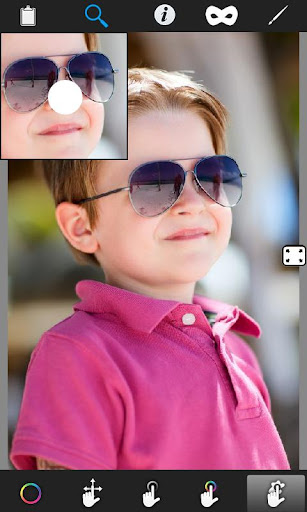
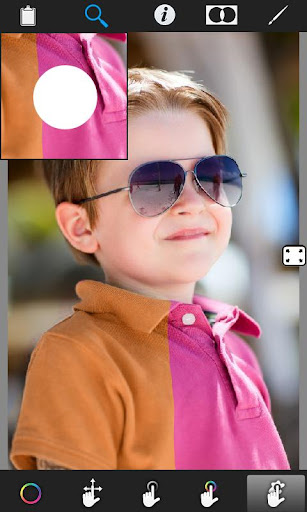
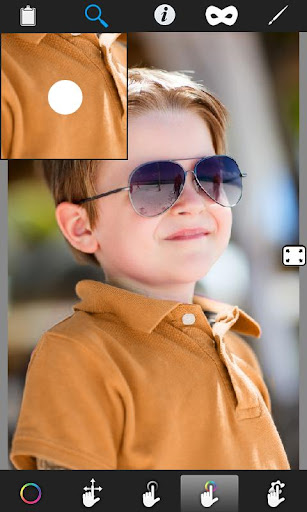
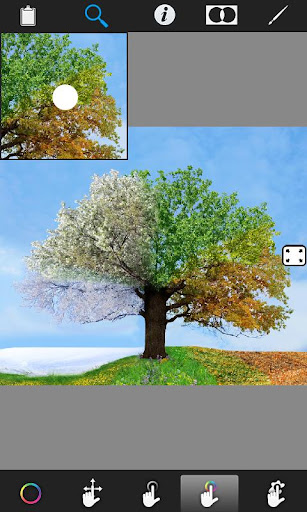
Color Booth allows you to take any image and manipulate the colors to allow you to easily visualize what a room, landscape, or object would look like as a different color. You can change your hair color or your car's color even your eyes color.

You can remove red eyes with this app and post your picture to facebook with a single click and make your profile pictures much more interesting. Dye your walls to another color or paint your skin with green or any color you want also this app lets you to make color splash effect with giving you chance to decolor any area of image with desaturate paint option.
This app has been optimized for tablets, especially for Nexus 7.

Features:
Pinch zoom(zoom with fingers)
Scalable brush size
Share your images on Facebook
Preview mode
Masked and colored view options
Color history
What's in this version : (Updated : Jun 16, 2013)
Minor UI changes, and bug fixes.
Required Android O/S : 2.2+


TO DOWNLOAD CLICK DOWNLOAD NOW

Download : 5.5Mb APK


Baca Selengkapnya ....
Clone Camera v1.5.4 APK

Posted by Unknown 0 komentar
Clone Camera v1.5.4 APK

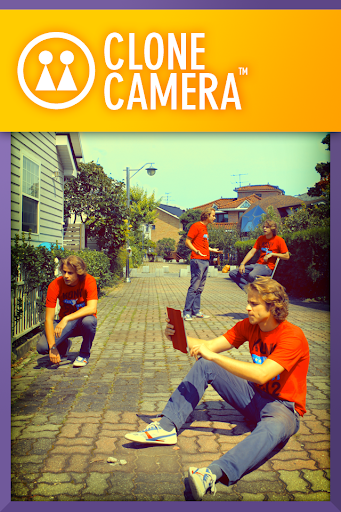
Clone Camera 
Clone Camera enables you to produce easy and perfect clone photo on your smart phone.
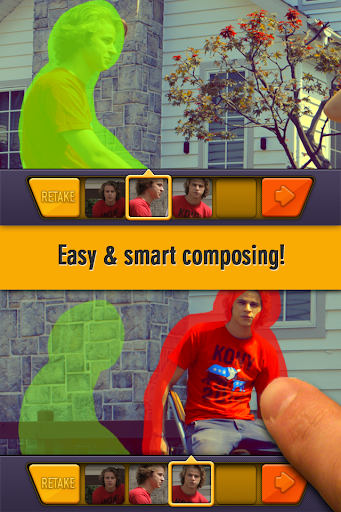
Guide system helps you frame a photo more easily than any other apps and synthesize photos most stably and perfectly. The quality of the results of Clone Camera overwhelm other app’s outcome.

Features:
Guide for shooting with afterimages
Self-timer function that can perform multi-shot with 4 times
The camera shake correction function
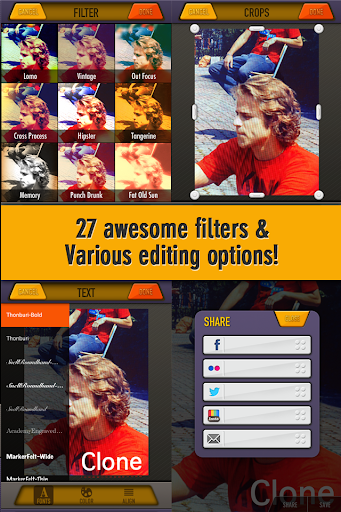
27 different high-quality photo filters
Support high-resolution image
Support Instagrams, Facebook, Twitter, Flickr
Instructions:
Shoot 2 to 4 photos
Mark on the part you want to synthesize by drawing with your finger.
Synthesize.
Apply a variety of filters, or insert letters
Store in the camera or share on various social network services.
What's in this version: (Updated : Jun 73, 2013)
Supporting Android phones and tablets with Full-HD resolution.
Enhanced basic performances
Fixed most of critical bugs including App crashing
Sound function works normally
Required Android O/S : 2.3+


TO DOWNLOAD CLICK DOWNLOAD NOW 

Download : 46Mb APK


Baca Selengkapnya ....

Apps To Find Stolen or Lost Android Mobile Phone.

Posted by Unknown Rabu, 12 Juni 2013 0 komentar


Following are some apps to find your stolen or lost Android mobile phone.

1. Where’s My Droid: Where’s My Droid is a pure Find my Phone app to help you locate your phone. When your smartphone goes missing, sending a code via text will make the phone ring (even when set in silent mode) while another text code sends you the GPS coordinates of the phone.

2. Android Lost Free: This app is not only perfect for finding your lost phone, it will also torment the thief (something which we’re sure they fully deserve). You can activate (via SMS or the Web) the alarm to ring with a flashing screen, enable and disable the GPS, data and Wi-Fi connection, remote wipe the SD card, and get their latest call list.

3. Anti Droid Theft: Anti Droid Theft lets you locate your phone via GPS, track changes made to the SIM card and view the pictures that have been taken by the smartphone all through the Web. Here’s some news coverage on how the app actually helped a user get his stolen phone (and the car it was in) back.

4. Prey Anti-Theft: This application allows you to track the GPS location of your phone or tablet by sending it a text message. You track via web interface, remote lock the device, plus they have software for tracking laptops. This app too works if a theft swaps the SIM card.

5. Plan B: Plan B is a great app from the makers of lookout.  This app helps to track down your lost or stolen device AFTER it comes up missing.  It is the last ditch effort to recovering your missing device.

TO FIND YOUR STOLEN OR LOST iPHONE CLICK HERE

Baca Selengkapnya ....
Apps To Find Stolen or Lost iPhone Mobile.

Posted by Unknown Selasa, 11 Juni 2013 0 komentar
Following are some apps to find your stolen or lost iPhone.

1. Find My iPhone = Find My iPhone app allows you to use another iOS device to locate your missing iPhone on a map, protect your private data, display a message, play a sound at full volume (for few minutes) even if your missing iPhone was set to silent, and remotely lock your device.

2. GadgetTrak: GadgetTrak app increases your chances of recovering your lost or stolen iPhone by generating location reports, sending a discreet message to your device, and snapping a photo of the thief with the built-in camera. With its restriction on "Deleting Apps", the thief will not be able to delete GadgetTrak from your iPhone.

3. Find My Friends: Find My Friends app can be used as an iPhone device tracker as well. By using your family members or friends iPhone which has been accepted and added previously, you’ll be able to see your iPhone’s location on a list or on a map.

4. Mobile Spy: Mobile Spy is a expensive but offers a great features. Mobile Spy allows you to keep track of your iPhone in real time by reporting incoming and outgoing calls, text messages, GPS locations, your contact list, emails, website URLs, photos and videos.

5. Device Locator: Device Locator is another paid app, but it doesn't offer as much as other paid apps that help you find lost or stolen devices. The app costs $3.99 and basically does the same thing as Find my iPhone track your phone's location, sound an alarm on the device, and send a message with sound. It also lets you take a photo, but it seems like other apps have more to offer.

TO FIND YOUR STOLEN OR LOST ANDROID PHONE CLICK HERE

Baca Selengkapnya ....
Trik SEO Terbaru support Online Shop Baju Wanita - Original design by Bamz | Copyright of samsung galaxy core review.